Computer nerds.. I need some space...

Joined
Mar 5, 2006
Messages
1,137
City & State/Province
alaska
I shoot a lot of video and pics... most I just store on a few old hard drives, waiting for review and deleting that never seems to happen... I have a store bought dedicated drive that is getting full, as well as a few old drives from defunct laptops.... I'm already using them, but my question is this.....
what windows or other files can I remove to add storage space?
here is a shot of my 86 files.... I'm afraid to start ripping things out for fear I might loose the stuff I'm storing there.
I haven't found anything on youtube that explains this... maybe I'm searching wrong....
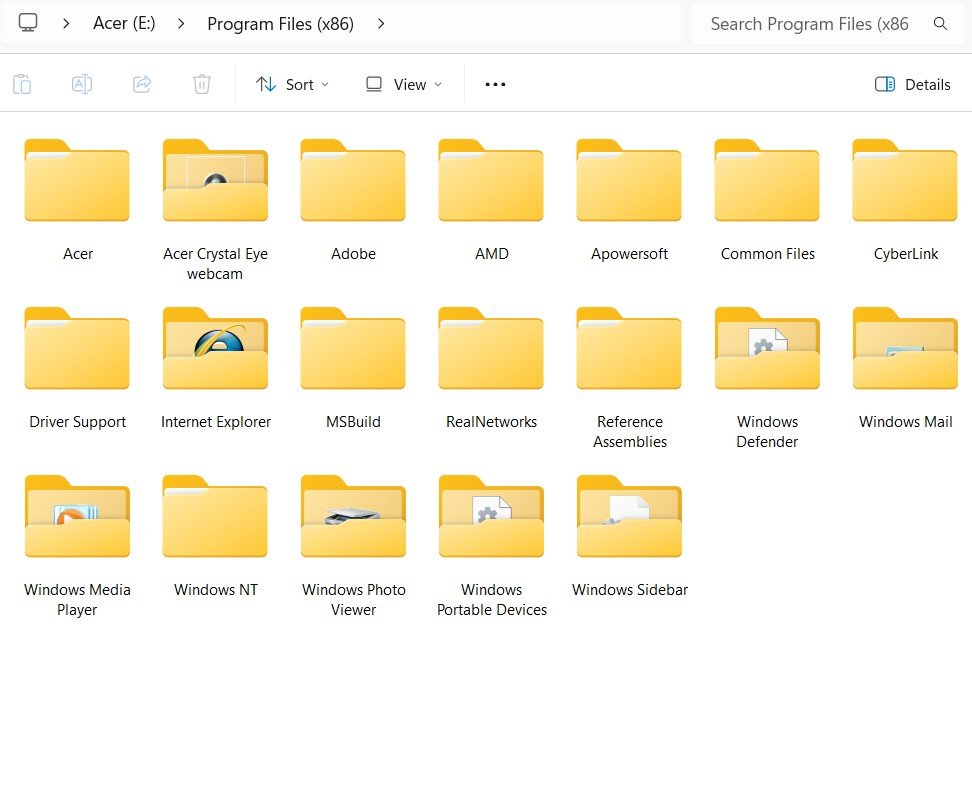
 

Attachments

  • acer_drive_1.jpg
    acer_drive_1.jpg
    73.6 KB
First thing, I'd go into Control Panel, Programs and uninstall any old software that you don't use anymore.

Don't go willy-nilly deleting program or system files because something may just stop working.

The next solution is get yet another drive. You could get a gigantic network drive that to store EVERYTHING.
 
not a computer nerd but might have a useful tip or two for you. like you, I take advantage of digital convenience and click away until I get the optimum picture or video. problem I have is going back and deleting the duds. I don't seem to be able to delete anything.

first off, if you check the size of most of those program folders, they aren't your biggest culprits. I suggest you back out of there carefully and leave them alone unless you know what you're doing. if you identify programs that you no longer need, remove them properly and their support folders your system doesn't need will typically go along with them.

organize your data files you create in some sort of consistent naming convention. I maintain a large archive of files of my kids, houses, cars/trucks, guns/ammo, military, work, travel, etc. I created major categories for quick identification and breakdown a file cascade naming convention for quick access.

store data on multiple removable drives and formats. keyword removable. I have backups on multiple HDD and SSD type drives for redundancy in case of drive failure however I don't store anything permanently on internal drives. this keeps the unavoidable replacement of machines much easier with ever changing tech. I also utilize free google cloud storage as a buffer until files are downloaded in my archives. searches on the interwebs can guide you into a format best suited for your needs.

so basically, the best solution for more storage is, well, more storage. stripping program folders out of the operating system without knowing what you're doing is a bad idea and really won't garner much more room.

good luck!
 
well... so far I have deleted all the old programs I used to use in those drives, and I deleted some of the silly windows stuff like the games and such... I just don't know how much farther I can/should go....
I do have a 250GB storage drive that is nearly full... I know where are a lot of duplicate files... I thought of adding a folder that I can use to transfer the files into so that windows will let me delete the duplicates..... but the drive is to full...... how does that bake you're bread??
I'll just have to do it manually until I can get the needed space..... I'm not sure I have enough whiskey for that...

I once deleted a program... years ago... and was asked if I wanted to delete the "shared files".. without thinking I clicked "yes"..... boy did that turn out to my a pain my arse..... so I do know to proceed cautiously...
 
250gb? rookie numbers :D

seriously tho, you could double your storage capacity in duplicate on two formats externally for a $100 for a whole lot less trouble.

and at the end of the day, you're still not gaining much by deleting program files and you'll be topped out again soon anyway.

good luck!
 
There's software out there that will scan your hard drive and look for duplicate files. You can then select which copy you want to keep.

About 30 years ago, I wrote a program to do that in C. Find a high school kid who likes to write code and ask him.
 
As an Amazon Associate we earn from qualifying purchases. Product prices and availability are accurate as of the date/time indicated and are subject to change.
Last edited:
I agree with the advice given. Disk storage is one of those things that has come down so much that even for relatively small drives they are low cost. We have so much music, movies and TV saved that we keep keep a double backup of so much. Initial cost was a bit up there but neither drive is near full, perhaps 50% used on a 26 and 20 TB drives.
 
I remember when an IBM 360 system only had 95,000 bytes... It was BIG (storage AND physical size) then (1967).
I know it cost way more than my house too.

J.
 
Back
Top
