Upper right hand corner, looks like a blank square. It's right beside the X. If that doesn't work, look at the 3 dots at the far right and click on them. Then go down to zoom and look to the far right at the little box. It's the full screen box and click on that.
I clicked on the "+" sign in the upper right corner to the left of the blank square. That worked, now I'm back to full screen. Clicking on the "X" closes the window.
Thanks for your help.
BTW, have you updated your Chrome browser lately?
I clicked on the "+" sign in the upper right corner to the left of the blank square. That worked, now I'm back to full screen. Clicking on the "X" closes the window.
Thanks for your help.
BTW, have you updated your Chrome browser lately?
As an Amazon Associate we earn from qualifying purchases. Product prices and availability are accurate as of the date/time indicated and are subject to change.
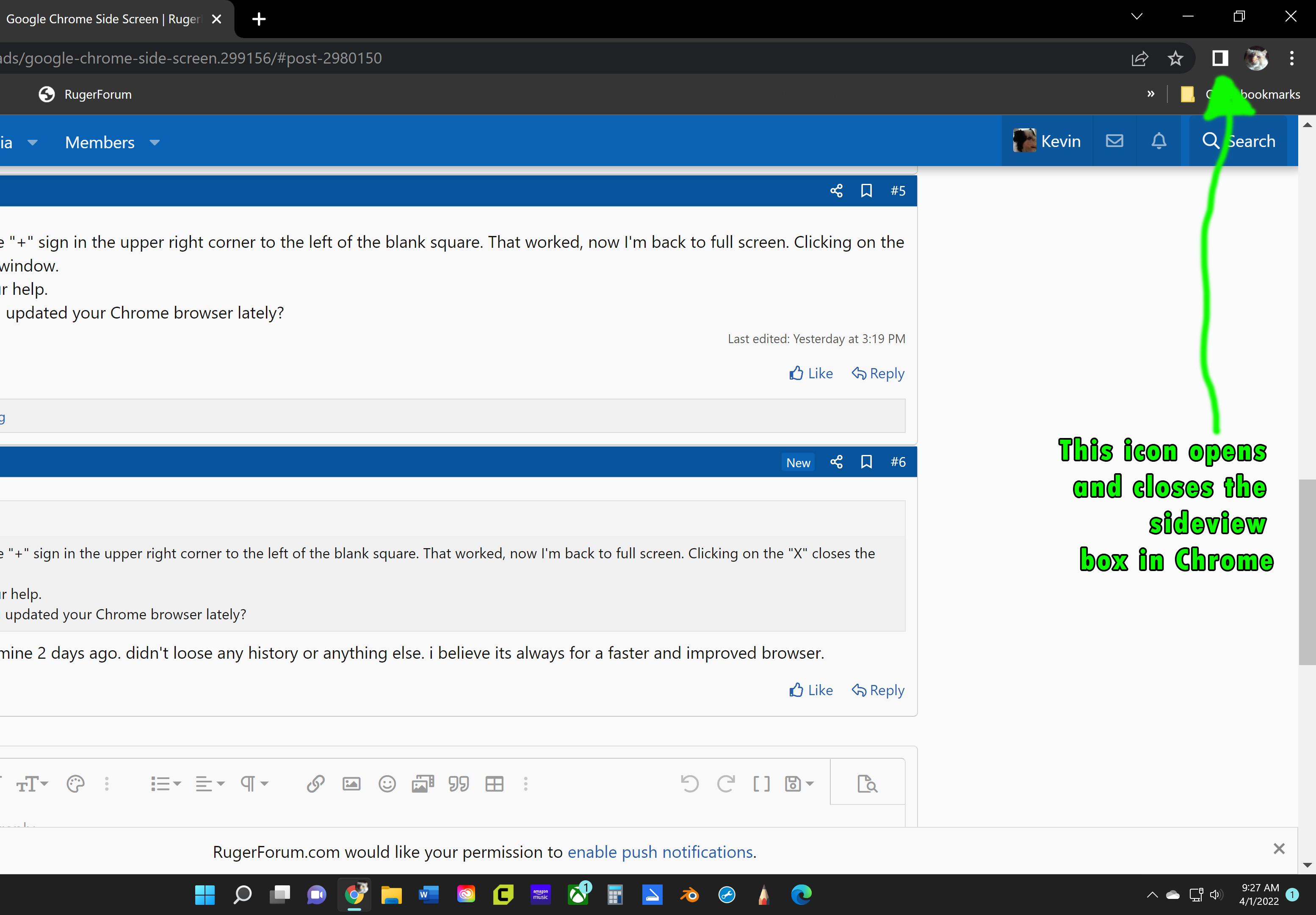
Also, if you look at this screenshot, in the upper right of the Chrome Browser, there is a square with a thick white border. That controls a sideview dialog box. You can toggle the sideview open or closed. The picture of my cat is me being signed into my Google Account on my computer. You may or may not be signed in.
Mine updates automatically most of the time. The box Kevin is talking about is one of the new features in the latest update. I really didn't understand exactly what it did.
I’m not really sure either, I don’t use it at all. But I believe it’s a different way to organize bookmarks.
You need a BIG monitor to use a lot of these features. If someone just has a 16 inch laptop, it would be too cluttered. I found a 42” monitor (not a television…there is a difference.) and the larger monitor has made being on the computer so very much nicer.